You can download the new version here
Updates for Essentials, Psionic Power, and the new compendium items (backgrounds, familiars, etc).
Note 1:
I tested the PHB, Arcane Power, and Psionic Power but I didn't have time to regression test all the older books.
Note 2:
There's a new version of the lore extension which offers /ilore (send lore images only), /tlore (send lore text only), /lore (send both text and images). It may fix some issues other people were having. Get get image support you must reparse modules containing npcs with the 115 parser or greater. You can download it here
Version History:
Note: to use the NPC Database features the Microsoft Office or the ACE drivers are required.
ACE drivers can be downloaded at the following address:
http://www.microsoft.com/downloads/details.aspx?familyid=7554f536-8c28-4598-9b72-ef94e038c891&displaylang=en
****************************Public Release: 11/6/2010 *****************
4.0.115
* Essentials: Increased support for powers that do not have levels
4.0.114
* Compendium: Support for familiars
4.0.113
* Powers: Cascade from Dynamic tags to Benefit enabled
4.0.112
* Compendium: Support for Fey Pacts that have a level number.
* Powers: Cascade from Prerequisite to Trigger enabled
4.0.111
* Compendium: Support for more complex backgrounds like those in FR
4.0.110
* Compendium: Initial handling of backgrounds
4.0.109
* Compendium: Handling of Features that contain the Augment tag
4.0.108
* Compendium: Adjustment to processing the Augment tag
4.0.107
* NPCs: Images parsed into a node for easy ruleset access
4.0.106
* ZLINK: Support for libnpc and libtrap
* Traps: Improved formatting of Additional Description
4.0.105
* ZLINK: Added support for map (same as image), template (npc template)
4.0.104
* AltPower: Now accepts MM3 format
Showing posts with label Ruleset. Show all posts
Showing posts with label Ruleset. Show all posts
Saturday, November 6, 2010

Saturday, August 28, 2010
4E Lore Extension
The last public release included the following note:
* NPCs: Lore parsed into non-formattedtext nodes for easy ruleset access
That's probably a little cryptic for those who aren't experienced with ruleset creation. Essentially, formattedtext is a great tool for displaying data, but you can't (without a lot of work) do anything else with it.
Enter one of the minor annoyances I have when running my own campaign. I have a vast amount of NPC lore available to me, but it's a hassle to deliver this information to my players. I have to open the various NPC sheets, check the player skills, then drag and drop the lore frames onto the correct characters. Usually while fielding questions about the map, placing tokens, and the usual pre-combat DM tasks.
From working with DrZeuss on traps, I knew the best way to fix this problem was to store the data in both the formattedtext nodes (so it could be displayed as always) and into other nodes (numbers, strings, etc) that could be easily accessed within the ruleset. Once that was done it's just a matter of entering a single command to push the lore to my players
And so the 4E Lore extension was born:
It's actually very simple to use, but it requires modules created with a parser version 103 or higher. No file changes are required so if you have the source files for older modules, you just need to run them through the parser again. This will populate the lore nodes the extension uses.
Usage:
/lore = Displays lore data for all npcs in the tracker that are set as visible
/lore {name} = Displays lore for just the npc in the tracker who's name begins with {name}.
For example:
"/lore Goblin" would display lore for any npcs on tracker with names that begin with goblin (Goblin Hexer, Goblin Blackblade, Goblin Sharpshooter, etc)
Anyhow an example of it working:
Consider the following NPCs from MM1. You can see each one focuses on a different skill (Religion, Arcana and Nature).

The results as seen by my clients:
 Tak has a high nature score +8 (and he has an effect that gives him another +4) So you can see he gets multiple pieces of data on the Sahuagin Priest (nature) but no data on the Bloodfire Harpy (Arcana) or the Angel of Valor (Religion).
Khem on the other hand has decent bonuses in all three skills. He gets some data on the Sahuagin Priest (but less than Tak), A fair amount of data on the Angel of Valor (Religion) and a little on the Bloodfire Harpy (Arcana).
Anyhow you can download a copy of it here:
Download the Extension
* NPCs: Lore parsed into non-formattedtext nodes for easy ruleset access
That's probably a little cryptic for those who aren't experienced with ruleset creation. Essentially, formattedtext is a great tool for displaying data, but you can't (without a lot of work) do anything else with it.
Enter one of the minor annoyances I have when running my own campaign. I have a vast amount of NPC lore available to me, but it's a hassle to deliver this information to my players. I have to open the various NPC sheets, check the player skills, then drag and drop the lore frames onto the correct characters. Usually while fielding questions about the map, placing tokens, and the usual pre-combat DM tasks.
From working with DrZeuss on traps, I knew the best way to fix this problem was to store the data in both the formattedtext nodes (so it could be displayed as always) and into other nodes (numbers, strings, etc) that could be easily accessed within the ruleset. Once that was done it's just a matter of entering a single command to push the lore to my players
And so the 4E Lore extension was born:
It's actually very simple to use, but it requires modules created with a parser version 103 or higher. No file changes are required so if you have the source files for older modules, you just need to run them through the parser again. This will populate the lore nodes the extension uses.
Usage:
/lore = Displays lore data for all npcs in the tracker that are set as visible
/lore {name} = Displays lore for just the npc in the tracker who's name begins with {name}.
For example:
"/lore Goblin" would display lore for any npcs on tracker with names that begin with goblin (Goblin Hexer, Goblin Blackblade, Goblin Sharpshooter, etc)
Anyhow an example of it working:
Consider the following NPCs from MM1. You can see each one focuses on a different skill (Religion, Arcana and Nature).

The results as seen by my clients:
 Tak has a high nature score +8 (and he has an effect that gives him another +4) So you can see he gets multiple pieces of data on the Sahuagin Priest (nature) but no data on the Bloodfire Harpy (Arcana) or the Angel of Valor (Religion).
Khem on the other hand has decent bonuses in all three skills. He gets some data on the Sahuagin Priest (but less than Tak), A fair amount of data on the Angel of Valor (Religion) and a little on the Bloodfire Harpy (Arcana).
Anyhow you can download a copy of it here:
Download the Extension
Friday, July 23, 2010
Fonts again...
 I did some more work and locked speaking in languages to languages that the players have listed on their sheets.
I also did a quick search and replaced all the fonts with ones that I believe are freely distributable. I added a source file that lists where I got the font from and in most cases I included the zip file that contains the font.
Download the extension here.
To switch the fonts it's a three step process:
1) Convert a .ttf file into a .fgf file using the FGFontGenerator (available from Smiteworks).
2) Copy the .fgf file into the extensions fonts directory.
3) Edit the extension.xml and change the fgffile name="fonts/{your fgf filename here}.fgf" for the language you wish to alter. Adding additional languages is just a matter of adding a new font block and adding the proper entries to the character sheets.
Saturday, July 17, 2010

Friday, January 29, 2010
Ruleset 2.0 is now available.
A ton of work went into this thing, mostly from moon_wizard (all the effects, combat, etc) and Zeph (the new look).
Also my poor testing groups had to struggle through a few sessions where things just didn't work (locked tokens = map crash. insubstantial = 1.5 damage instead of 2.0 damage, etc).
To check it out you'll need the TestModeManager tool for FGII which can be found here
After that you should just update and it will download all the new stuff. I strongly recommend backing up your campaigns before doing any conversion, but I don't remember any upgrade issues (then again 1.5.1 was months ago for me and my testers).
You can find more details on the thread in the FGII forums. I recommend you clear time on your schedule to read the changes/readme files once the install completes. A lot of things have changed...for the better.
Also my poor testing groups had to struggle through a few sessions where things just didn't work (locked tokens = map crash. insubstantial = 1.5 damage instead of 2.0 damage, etc).
To check it out you'll need the TestModeManager tool for FGII which can be found here
After that you should just update and it will download all the new stuff. I strongly recommend backing up your campaigns before doing any conversion, but I don't remember any upgrade issues (then again 1.5.1 was months ago for me and my testers).
You can find more details on the thread in the FGII forums. I recommend you clear time on your schedule to read the changes/readme files once the install completes. A lot of things have changed...for the better.
Thursday, December 3, 2009
Bug hunting
Testing the revised multiple target system (all moon_wizard's work):
 Above Vyhev targets 3 NPCs and triggers her armor's damage effect against them. Instead of dragging the damage to each NPC, it just takes one click once they are targeted. Note the CT displays her current targets on the CT.

Above Khem uses his Visions of Blood close area power against two of the panthers. Again you can see his targets on both the map and the CT. After targeting he double clicks the attack to determine the hits. Next he double clicks the damage and it applies it to any targets he hit. he could also click an effect if the power had one.
 Above Vyhev targets 3 NPCs and triggers her armor's damage effect against them. Instead of dragging the damage to each NPC, it just takes one click once they are targeted. Note the CT displays her current targets on the CT.
Above Khem uses his Visions of Blood close area power against two of the panthers. Again you can see his targets on both the map and the CT. After targeting he double clicks the attack to determine the hits. Next he double clicks the damage and it applies it to any targets he hit. he could also click an effect if the power had one.
Thursday, November 12, 2009
New Skin
Zeph created a "stone" themed skin for 4E_JPG that replaces the default "wood" theme of FGII. The original version was in extension form but because it changed a lot of positioning, I rolled the changes into the ruleset and submitted them. Of course some things will need to be changed (the center dragon for example), but here's some screen shots of the unapproved look:


Thursday, October 29, 2009
Playtest 3
Some more play test images from the most recent session:

This is some of my pre-session prep. I needed to introduce a new character so I modified the Smoke and Shadow encounter. Instead of creatures just bursting from a lava rift, I had the new character on the other side of the rift fighting npcs. I switched back and forth between the combat and the skill challenge and at the right point the lava plane (shown above) dumped into the Shadowfell....right on top of the rest of the party. The map shown here is actually part of Orcus's Lair from E3.
Anyhow, this shows the automatic effect creation when NPCs are dropped on the tracker. Effects are a huge part of 2.0. The actual processing of effects during combat is really the easier half of the problem. Parsing effects off NPC sheets/PC powers is where the real challenge was. Moon_wizard did in awesome job in making it all work. As someone who's spent a fair amount of time attempting to convert WOTC's data to a different format, I know just how daunting a task like this is.
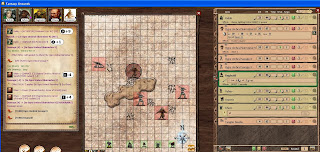 An early round of the "Training Session" encounter. Not much is going on in this screenshot, other than me dropping an effect on Khem that doesn't belong and them him accidentially holding ctrl while picking up damage dice. That's what happens when the session runs late. Really I took this image more for the adventure log I keep on our obsidian portal page....oh well.

This is some of my pre-session prep. I needed to introduce a new character so I modified the Smoke and Shadow encounter. Instead of creatures just bursting from a lava rift, I had the new character on the other side of the rift fighting npcs. I switched back and forth between the combat and the skill challenge and at the right point the lava plane (shown above) dumped into the Shadowfell....right on top of the rest of the party. The map shown here is actually part of Orcus's Lair from E3.
Anyhow, this shows the automatic effect creation when NPCs are dropped on the tracker. Effects are a huge part of 2.0. The actual processing of effects during combat is really the easier half of the problem. Parsing effects off NPC sheets/PC powers is where the real challenge was. Moon_wizard did in awesome job in making it all work. As someone who's spent a fair amount of time attempting to convert WOTC's data to a different format, I know just how daunting a task like this is.
 An early round of the "Training Session" encounter. Not much is going on in this screenshot, other than me dropping an effect on Khem that doesn't belong and them him accidentially holding ctrl while picking up damage dice. That's what happens when the session runs late. Really I took this image more for the adventure log I keep on our obsidian portal page....oh well.
Thursday, October 22, 2009
2 images from Session 2 of 2.0 version 2

 That's a lot of 2's. The images might not display very large, blogger used to not like it when I sent huge images. I'll find somewhere else to host them later if this doesn't work.
You can only really appreciate the ruleset changes when you have a fight involving 6 different insubstantial vulnerable creatures with regen who throw weakened around.
The stuff I blacked out is plotty type stuff for the ongoing adventure.
The square portraits and modified link icon are actually extensions sent to me by Zeph. Everything else is 2.0 stock. I should have had the npc power screen open in one of the shots, but I forgot. Maybe next time.
Thursday, October 15, 2009
2.0 Screenshots
Some images from the latest 2.0 test session. Still some issues to be ironed out.
Here's the updated CT. Fonts, the improved highlighting, and the short effect list on both pc's and NPCs are all new.

And here you have some chat where Vyhev just unleashed a dragon breath on a bunch of targets. The bold purple messages are all new 2.0 features. They've changed quite a bit since the earlier 2.0 release.

Here's the updated CT. Fonts, the improved highlighting, and the short effect list on both pc's and NPCs are all new.

And here you have some chat where Vyhev just unleashed a dragon breath on a bunch of targets. The bold purple messages are all new 2.0 features. They've changed quite a bit since the earlier 2.0 release.

Monday, August 3, 2009
Marvel at the words of Hafgrim.....
I had an idea while I was altering the magic item class. So I threw together a quick extension using some fonts from Zeph (elven and dwarven) and some from the web (draconic and goblin). I'm still messing with it. But at the moment the DM gets the translation, no one else does.

It's really just for fun.

It's really just for fun.
Lunch time coding

Ran out of time before I could tweak the spacing/ordering but it's pretty close for a reference magic item.
Sunday, August 2, 2009
Back to reskinning
Now that I finished Divine Power and prep work for my Scales of War campaign, I'm back to reskinning and something I call "Secret project X". But no images of that yet, just reskins:

Magic Item Lists, NPC lists, and I added the ripped top to story entries. I kept with the Dungeon color scheme but lightened it up some. It was too difficult to see the link icon in the official color.

Magic Item Lists, NPC lists, and I added the ripped top to story entries. I kept with the Dungeon color scheme but lightened it up some. It was too difficult to see the link icon in the official color.
Wednesday, July 29, 2009
2.0 in action
My scales of war campaign continues as a test bed for 2.0. You can see some of the messages in chat, along with an error report, and the crazy movement paths that are common for Reggie.


Saturday, July 25, 2009
Divine Reskin

Busy parsing Divine Power this weekend, but I did take a few minutes to reskin the catalog (not that the old version had been released). Mostly because I accidentally clicked on it and was sickened by the dated look.
Thursday, July 23, 2009

Tuesday, July 21, 2009
Reskin 2

Armor, Weapons, Equipment, Mounts. Well not the mount detail since that is really an NPC sheet.
Monday, July 20, 2009
More reskinning
Just the power lists and the feat list. I modified the parser to change the output powerlist groups to more closely match the printed materials.


Sunday, July 19, 2009

Saturday, July 18, 2009

Subscribe to:
Posts (Atom)